
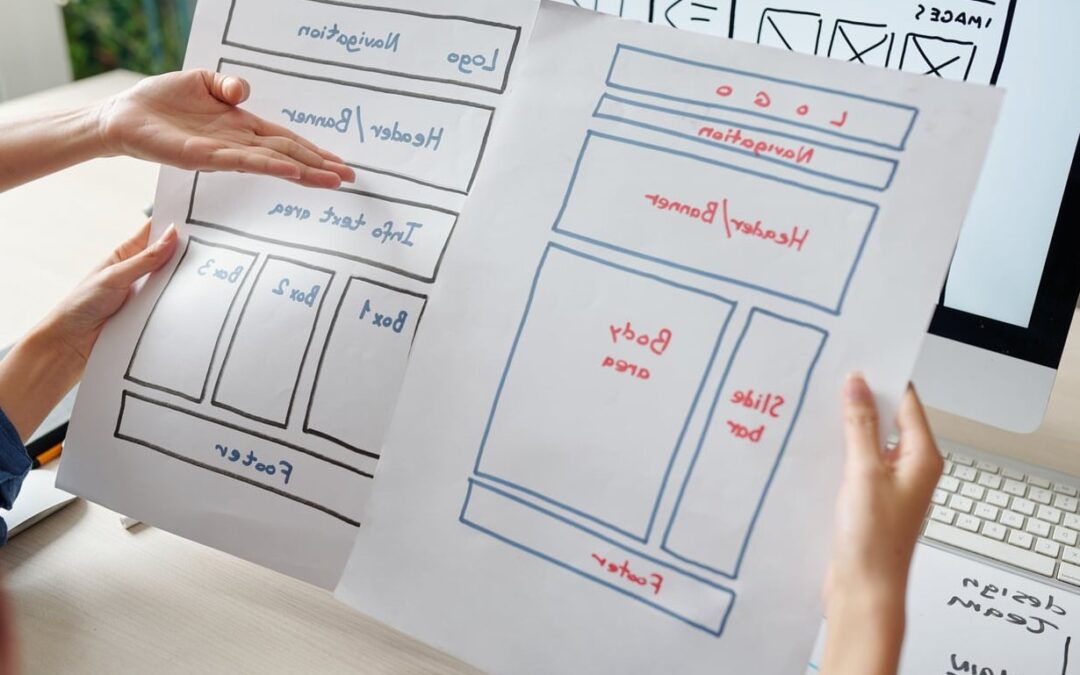
Most sites are designed first and optimised later. That order is expensive. By the time a build is signed off, the URL structure is fixed, the navigation hides half the pages, the hero image weighs more than the rest of the page, and someone has to retrofit SEO onto decisions that were made in Figma months earlier.
This guide flips the order. It walks through website design for SEO as nine build decisions, in the sequence a designer or project owner actually makes them. For each step you get the design decision, why search engines care, and a quick check you can run in a few minutes to confirm it is done.
What makes a website design SEO-friendly?
An SEO-friendly website design is one where every page a search engine should rank has a clear purpose, a crawlable link pointing to it, a readable URL and a layout that loads fast on a phone. In practice that means a shallow site structure, HTML navigation, one clear H1 per page, lightweight images and internal links that connect related pages. Design does not replace content or links, but a badly structured site puts a ceiling on both.

Step 1: Map keywords and intent before you draw a single wireframe
The design decision: build your sitemap from a keyword and intent map, not from the organisation chart. One page should answer one search intent. If two planned pages would target the same query, merge them. If one page is trying to serve “what is X”, “X pricing” and “X vs Y”, split it.
Why it affects rankings: Google ranks pages, not sites. Two half-pages chasing the same query compete with each other and split the internal links and authority that should sit on one strong page. A page that mixes three intents satisfies none of them fully.
Quick check: list every planned URL in a spreadsheet with its primary query and intent type (informational, commercial, transactional, navigational). No query should appear twice. If it does, you have a cannibalisation problem before launch.
Step 2: Keep the structure flat and grouped by topic
The design decision: organise pages into clear topic groups (often called silos or hubs), and make sure any important page is reachable from the homepage in three clicks or fewer. A hub page links down to its cluster pages, and each cluster page links back up.
Why it affects rankings: crawlers discover pages by following links, and internal link distance is a strong signal of what you consider important. Pages buried six levels deep get crawled less often and inherit less authority. Topic grouping also helps Google understand that your pages belong to a coherent subject area.
Quick check: crawl the site and look at the “crawl depth” column. Every money page and every priority blog post should sit at depth 1, 2 or 3. Anything at depth 4+ needs a link from a hub or from the navigation.
Step 3: Give URLs a logic a human could guess
The design decision: short, lowercase, hyphenated, readable URLs that reflect the structure. For example /services/web-design/ and /blog/website-design-for-seo/. Avoid dates, ID numbers, parameters and stop words. Decide on trailing slashes and www vs non-www once, then stick to it. The same thing is done cleanly on wicked-seo.com.
Why it affects rankings: URLs are a minor direct ranking factor at best, but they are a major usability and consistency factor. Clean URLs appear in the search snippet, get shared and linked more cleanly, and prevent the duplicate-content mess that comes from the same page being reachable at four different addresses.
| Avoid | Use instead |
|---|---|
| /index.php?p=482&cat=7 | /services/seo-audit/ |
| /blog/2019/04/22/our-new-post/ | /blog/ecommerce-seo-checklist/ |
| /Services/Web_Design_Agency_UK/ | /services/web-design/ |
Quick check: type a page’s URL out loud. If someone could not guess roughly what is on it, rename it. Do this before launch, because changing URLs later means redirects and lost signals.

Step 4: Make navigation crawlable, not just clickable
The design decision: primary navigation should be standard HTML links (<a href="...">) with descriptive anchor text. Mega menus are fine if the links exist in the HTML. Add breadcrumbs on anything deeper than the top level. Include an HTML footer with links to key sections, plus an XML sitemap.
Why it affects rankings: if a link only fires on a JavaScript click event with no href, Google may never follow it. Navigation links also appear on every page, so they carry a lot of internal link weight. Breadcrumbs reinforce hierarchy and can show up directly in search results.
Quick check: disable JavaScript in your browser (or view the rendered HTML) and try to reach five deep pages using only the menu, breadcrumbs and footer. If you cannot, neither can a crawler on a bad day.
Step 5: Design mobile-first, with the same content on both layouts
The design decision: design the 390px-wide view first, then expand. Tap targets large enough to hit with a thumb, body text comfortable to read without zooming, no interstitial that covers the content on arrival, and critically: the mobile version must contain the same text, headings, images and links as the desktop version. Accordions are acceptable as long as the content is present in the HTML.
Why it affects rankings: Google indexes the mobile version of your site. Anything you hide, trim or strip out on mobile effectively does not exist for ranking purposes. Intrusive pop-ups on mobile have been a documented negative signal for years.
Quick check: open the same page on desktop and mobile, copy the visible and collapsed text from each, and compare word counts. They should be near identical. Then run the page through Google Search Console’s URL Inspection tool and read the rendered HTML it returns.
Step 6: Build for speed at design stage, not at launch stage
The design decision: set a performance budget before design starts. Limit web fonts (two families, a handful of weights), avoid full-screen video backgrounds and carousel heroes, reserve fixed space for images and ads so nothing jumps, and keep third-party scripts to the ones you can name a business reason for.
Why it affects rankings: Core Web Vitals are part of Google’s page experience signals. Google’s published “good” thresholds are LCP under 2.5 seconds, INP under 200 milliseconds and CLS under 0.1. Speed is rarely the thing that makes a page rank, but a slow page loses users before the content can do its job, and that shows up in behaviour.
Quick check: run the template (not just the homepage) through PageSpeed Insights on mobile. Look at the field data if available. Fix the largest contentful element first, usually the hero image or a font.

Step 7: Lock the heading hierarchy into the template
The design decision: every page template gets exactly one <h1>, usually the page title, not the logo. Sections use <h2>, sub-points use <h3>, and so on without skipping levels. Style headings with CSS, never choose a heading tag because it looks the right size.
Why it affects rankings: headings tell both users and crawlers how the page is organised, and they are one of the clearest places to state what the page is about. Clean hierarchy also makes a page far easier to pull a featured snippet or an AI summary from, because each question gets its own labelled block.
Quick check: use a browser extension or the accessibility tree in DevTools to view the heading outline. One H1, no skipped levels, and the outline should read like a sensible table of contents on its own. An extended version exists for anyone curious.
Step 8: Design the internal linking system, do not leave it to writers
The design decision: plan where contextual links will live. Give templates a “related pages” block, link from blog posts up to the relevant service or category page with descriptive anchor text, and link hub pages down to every page in their cluster. Avoid “click here” and avoid linking the same anchor to twelve different destinations.
Why it affects rankings: internal links pass authority between pages and tell Google which page should rank for which term. New pages get discovered and indexed faster when something already-crawled links to them. This is one of the few ranking levers you control completely.
Quick check: crawl the site and sort pages by number of internal inlinks. Any page with zero or one inlink is effectively orphaned. Your most commercially important pages should be near the top of that list, not the bottom. Anyone digging further should read SEO Web Design: Tips to Build Better Website.
Step 9: Handle images properly: format, size, name, alt
The design decision: export in a modern format (WebP or AVIF, with a fallback), serve responsive sizes with srcset, set explicit width and height attributes, lazy-load everything below the fold but never the hero, name files descriptively (brighton-office-fitout.webp, not IMG_4471.jpg) and write alt text that describes the image for someone who cannot see it.
Why it affects rankings: images are usually the heaviest asset on a page, so they drive LCP and layout shift. Filenames and alt text are how Google understands image content, which matters for Google Images traffic. Alt text is also an accessibility requirement under WCAG, and accessibility and SEO overlap heavily. The topic gets a thorough treatment elsewhere.
Quick check: open DevTools, filter by “Img” and sort by size. Anything over a few hundred KB on a standard content page needs re-exporting. Then confirm every meaningful image has alt text and every decorative one has an empty alt="".
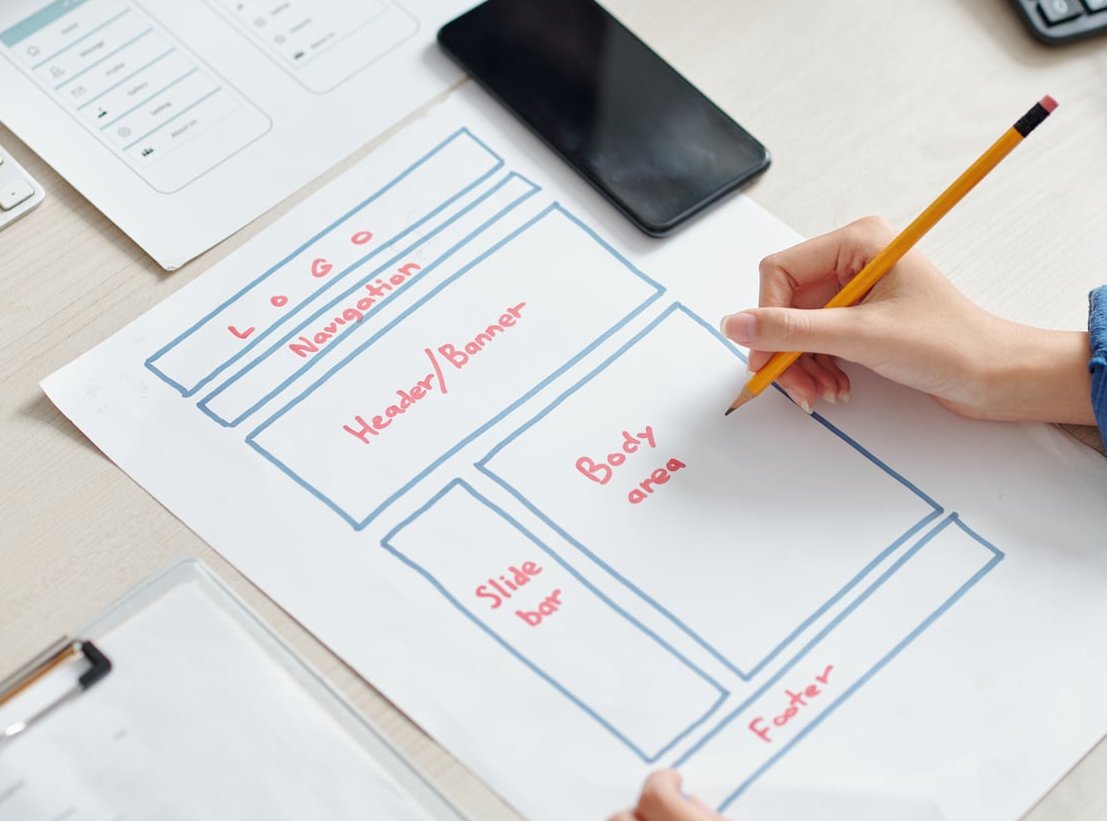
The 5 tools you need to run these checks
You do not need a dozen subscriptions. Five tools cover every check above.
| Tool | Use it for | Cost |
|---|---|---|
| Google Search Console | Indexing, rendered HTML, queries, Core Web Vitals field data (steps 4, 5, 6) | Free |
| PageSpeed Insights / Lighthouse | Speed, LCP, CLS, image weight, accessibility basics (steps 6, 9) | Free |
| Screaming Frog SEO Spider | Crawl depth, orphan pages, internal links, headings, alt text (steps 2, 7, 8, 9) | Free version limited to 500 URLs, paid licence above that |
| Ahrefs or Semrush | Keyword and intent mapping, competitor structure, link data (step 1) | Paid, with limited free tiers |
| Google Analytics 4 | What organic visitors actually do once they land (all steps) | Free |
A pre-launch checklist
- One page per intent, no duplicate targets
- Every priority page within three clicks of the homepage
- Readable URLs, single canonical version of the domain
- Navigation works with JavaScript disabled
- Mobile and desktop contain the same content
- Mobile LCP, INP and CLS within Google’s “good” thresholds on real templates
- One H1 per page, no skipped heading levels
- No orphan pages, key pages well linked internally
- Images compressed, sized, named and described
- XML sitemap submitted, robots.txt not blocking anything important, staging site noindexed
Frequently asked questions
What does the 80/20 rule mean in SEO?
It is the Pareto principle applied to search: a small share of your work produces most of your results. In practice, a minority of your pages usually bring in the majority of your organic traffic, and a handful of fixes (site structure, internal links, page speed, a genuinely better page on your most valuable topic) tend to move the needle far more than dozens of micro-optimisations. The practical takeaway: find the pages and the issues with the largest potential impact and fix those first, rather than spreading effort evenly across every page.
Can ChatGPT do SEO?
It can do parts of it. ChatGPT and similar tools are genuinely useful for clustering keyword lists, drafting outlines and meta descriptions, generating schema markup, writing regex or spreadsheet formulas, and explaining technical concepts. What it cannot do is crawl your site, see your Search Console data, verify facts, make a judgement call about your business, or earn links. It also invents details with total confidence, so anything factual needs checking. Treat it as a fast assistant on the mechanical work, not as a replacement for a strategy or for the person responsible for accuracy.
Is SEO paid or free?
Organic rankings cannot be bought: you do not pay Google for a position in the normal results, which is what separates SEO from Google Ads. But SEO is not free in any meaningful sense. It costs time, content, development hours, tools and often an agency or specialist. The difference is that paid search stops the moment you stop the budget, whereas a well-structured site with good content keeps earning traffic between investments.
How much does it cost to SEO your website?
There is no honest single figure. Cost depends on the size of the site, how technically broken it is, how competitive your market is, how much content needs writing, and whether the work is a one-off project or an ongoing retainer. A small local business fixing structure and on-page basics sits at one end; a large e-commerce migration with ongoing content sits at the other. Ask any provider to price the specific deliverables (audit, technical fixes, content, digital PR) rather than a vague monthly “SEO” line, and make sure site structure and speed work is included rather than billed separately later.
Is SEO dead or evolving in 2026?
Evolving. AI summaries and chat-based answers have changed how results are presented and have reduced clicks on some purely informational queries. What has not changed is that those systems still need to find, crawl and understand web pages, and they still favour clear, well-structured, trustworthy sources. The practical response is the same as it has always been: make your pages easy to crawl, easy to parse, specific enough to be worth citing, and tied to a real business someone can verify. The sites that suffer are the ones whose only value was restating what everyone else already said.
What is the most SEO-friendly website builder?
The honest answer is that the platform matters less than the control it gives you. WordPress remains the most flexible option because you can control URLs, markup, redirects, schema and performance down to the template level. Webflow offers similar technical control with a visual interface. Shopify is strong for e-commerce but its URL structure is partly fixed. Wix and Squarespace have improved a lot and are perfectly capable of ranking for most small-business sites. Before choosing, confirm you can edit title tags and meta descriptions, control URLs and redirects, add structured data, edit robots.txt and the XML sitemap, and reach good Core Web Vitals on mobile. If a platform fails those, no amount of design will save it.
Does redesigning a site hurt rankings?
It can, and usually only when URLs change without 301 redirects, content is cut, or internal links disappear. A redesign done with a full URL map, redirects in place before go-live, and the same (or better) content tends to hold or improve rankings. Crawl the old site before you switch, and crawl it again on launch day.
Where to start
If you are briefing a new build, take steps 1 to 4 into the planning phase and make them acceptance criteria, not suggestions. If you already have a site, run the quick checks in steps 2, 7, 8 and 9 first: structure, headings, internal links and images are usually where the easiest wins sit, and none of them require a rebuild.
If you would like a second pair of eyes on your structure before you commit to a design, get in touch with the team at Komodo Media.